Working Day

Overtime and Workday Compliance punch_clock

Free trial
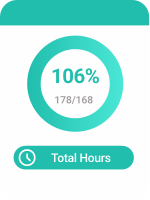
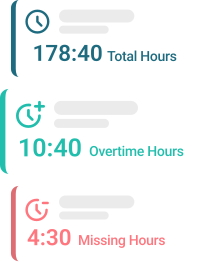
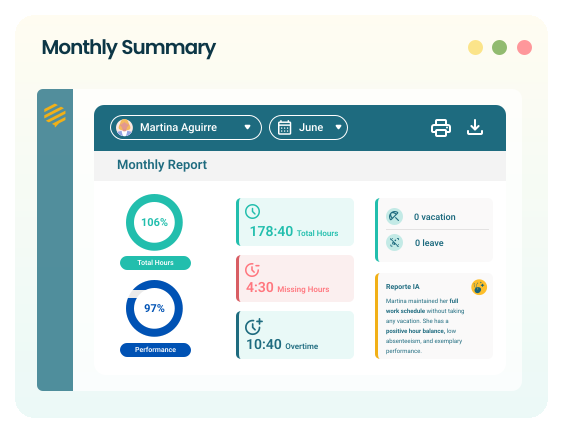
Employee analyzing their monthly work hours summary Circular indicator showing total hours worked relative to target Summary with total hours, accumulated overtime, and lost hours
Inbursa Danone Stefanini Skatt CyberPower MAPFRE Cecoban Farmacias Benavides Edega Iamsa Inbursa Danone Stefanini Skatt CyberPower MAPFRE Cecoban Farmacias Benavides Edega Iamsa

Overtime under control. Automate records, avoid manual calculations, and comply with legislation.

Automatic control of additional time worked

more_time
  • check_circle Shows when the established workday is exceeded.
  • check_circle Visualize accumulated time off by person.
  • check_circle Detects imbalances and excessive workload.
  • check_circle Useful for planning compensations or breaks.
  • check_circle Adjust shifts based on actual effort.
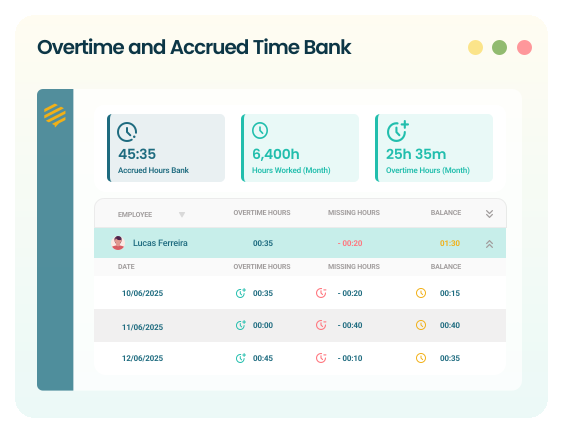
Dashboard with details of overtime worked and accumulated time off

Full visibility of time worked

calendar_clock
  • check_circle Visualize hours worked vs. planned.
  • check_circle Monitor how many hours each person worked and what percentage it represents relative to their monthly goal.
  • check_circle Ideal for detecting delays or unbalanced workloads.
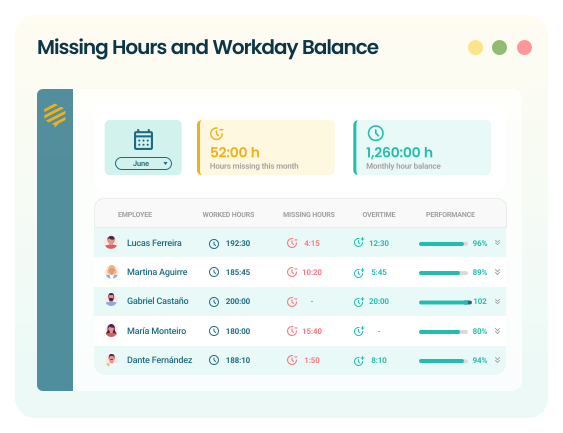
Dashboard with missing hours, hours worked, and monthly performance per employee

Automatic alerts for absence or deviation

demography
  • check_circle Visualize how many people are absent today.
  • check_circle Filter by team, area, or hierarchical level.
  • check_circle Anticipate operational impacts.
  • Ideal for leaders who need to act with agility.
Monthly summary with hours, performance, and attendance metrics

Supervise without borders, manage with clarity

error
  • check_circle Report check-in and check-out errors.
  • check_circle Shows days without registered activity.
  • check_circle Helps prevent incidents before they escalate.
  • Detects irregularities that can affect work control.
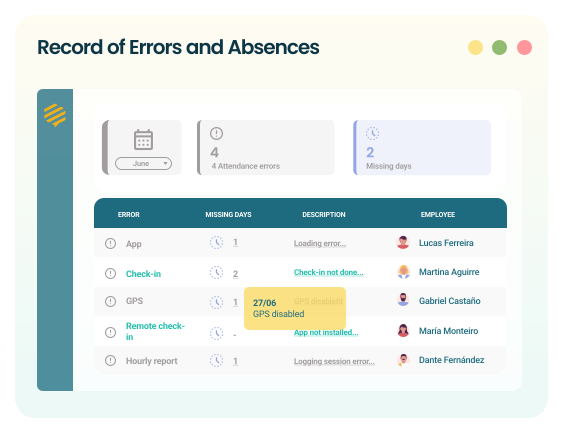
Log of attendance errors and lost days per employee

Do you identify with any of these challenges?
Solve them intelligently with Befective.

mountain_flag

Lack of visibility into the hours effectively worked by each employee.

mountain_flag

Lack of visibility into the hours effectively worked by each employee.

mountain_flag

Undetected accumulation of overtime, which can result in burnout or operational overload.

mountain_flag

Difficulty in ensuring compliance with breaks or legal workday limits.

mountain_flag

Lack of reliable evidence in audits, inspections, or labor claims

mountain_flag

Inability to demonstrate compliance with internal policies or current labor laws.

Discover how Befective simplifies your daily life. Reduce errors and gain visibility

Frequently Asked Questions

  • Does Befective automatically track employees’ check-ins and check-outs?

    add
    remove

    Yes. Befective leverages device activity data to generate automatic attendance records, removing the need for manual time tracking.

  • Can I see how many hours each employee actually works?

    add
    remove

    Of course. The platform shows the total active hours per workday, distinguishing between productive time, inactive time, and untracked time.

  • What happens if an employee disconnects or stops working without logging out?

    add
    remove

    Befective detects periods of inactivity and marks them in the reports, allowing you to easily identify any irregularities in the workday

  • Does Befective adapt to remote or hybrid work?

    add
    remove

    Absolutely. It’s an ideal solution for distributed teams, as it provides visibility regardless of where employees are working from.

Optimize attendance control with reliable data.